Overview #
If the Hippoo app is not showing your store data correctly, the issue is usually related to how WooCommerce returns data through its API, not the app itself.
Hippoo expects a consistent and predictable API structure. When plugins or custom code change that structure, the app may fail to read the data properly.
What you might see #
You may experience issues such as:
- Products not appearing
- Orders missing or incomplete
- Coupons not showing
- API or loading errors inside the app
Why this happens #
WooCommerce has a standard API format, but many stores extend it using plugins or customizations. These changes can introduce inconsistencies in the response.
For example, the API may include unexpected fields, incorrect data types, or improperly structured data. One common source of issues is meta_data, which often contains complex or plugin-specific values.
Even small inconsistencies can break how the Hippoo app processes the response.
The solution: API compatibility mode #
Hippoo includes API Compatibility Mode to handle these situations.
When enabled, it acts as a processing layer between WooCommerce and the app. Instead of sending raw API data, it cleans and standardizes the response so the app can read it correctly.
This includes:
- Removing unsupported or unnecessary fields
- Cleaning up unstable data like
meta_data - Fixing invalid formats and structures
How to enable it #
Go to Hippoo Settings → API Compatibility.
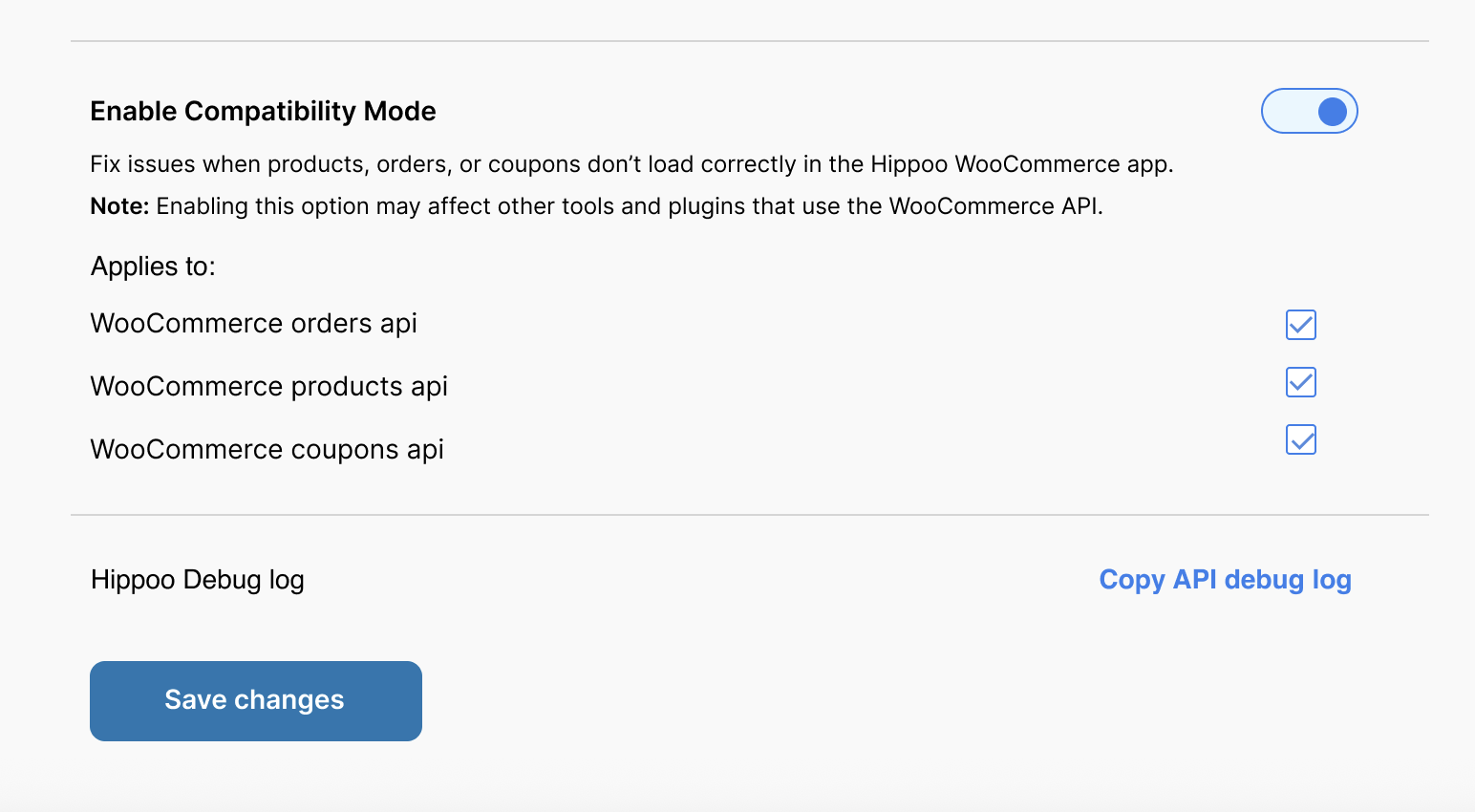
You will see three options:
- Products
- Orders
- Coupons
Only enable the checkbox for the part that is not working.
For example, if only orders are not loading, enable Orders only.
If products or coupons are working correctly, keep them disabled.
⚠️ Important Notice #
This feature modifies the WooCommerce API response. Because of that, it may affect other plugins or services that also use the WooCommerce API.
- Use this option only if you have issues in the Hippoo app
- Do not enable all options by default
- Only enable the specific API (Products, Orders, or Coupons) that has a problem
- If something works correctly, keep it disabled
What changes after enabling #
After turning this on for a specific API:
- Data should load more reliably in the app
- API-related errors are usually reduced
- The affected section (products, orders, or coupons) should work as expected
What this does not affect #
This feature does not change your actual store data or database. It only adjusts the API response before it reaches the Hippoo app.
If the issue continues #
If the problem still exists after enabling Compatibility Mode:
- Double-check that you enabled the correct API (products, orders, or coupons)
- Try disabling recently added plugins
If the issue persists, use the Hippoo Debug Log and share it with the support team. This helps identify the exact cause and provide a faster solution.


