
A Smarter Way to Handle Data Loading Issues in the Hippoo App
One of the most common challenges when connecting a WooCommerce store to a mobile app is not performance or login issues, but data consistency.
If you’ve ever opened the Hippoo app and noticed that products are missing, orders are incomplete, or certain sections fail to load, this update is designed specifically for you.
We are introducing a new feature called WooCommerce API Compatibility Mode in Hippoo. It is designed to make your store data more reliable inside the app, even when your WooCommerce setup is complex or heavily customized.
The real problem behind data loading issues
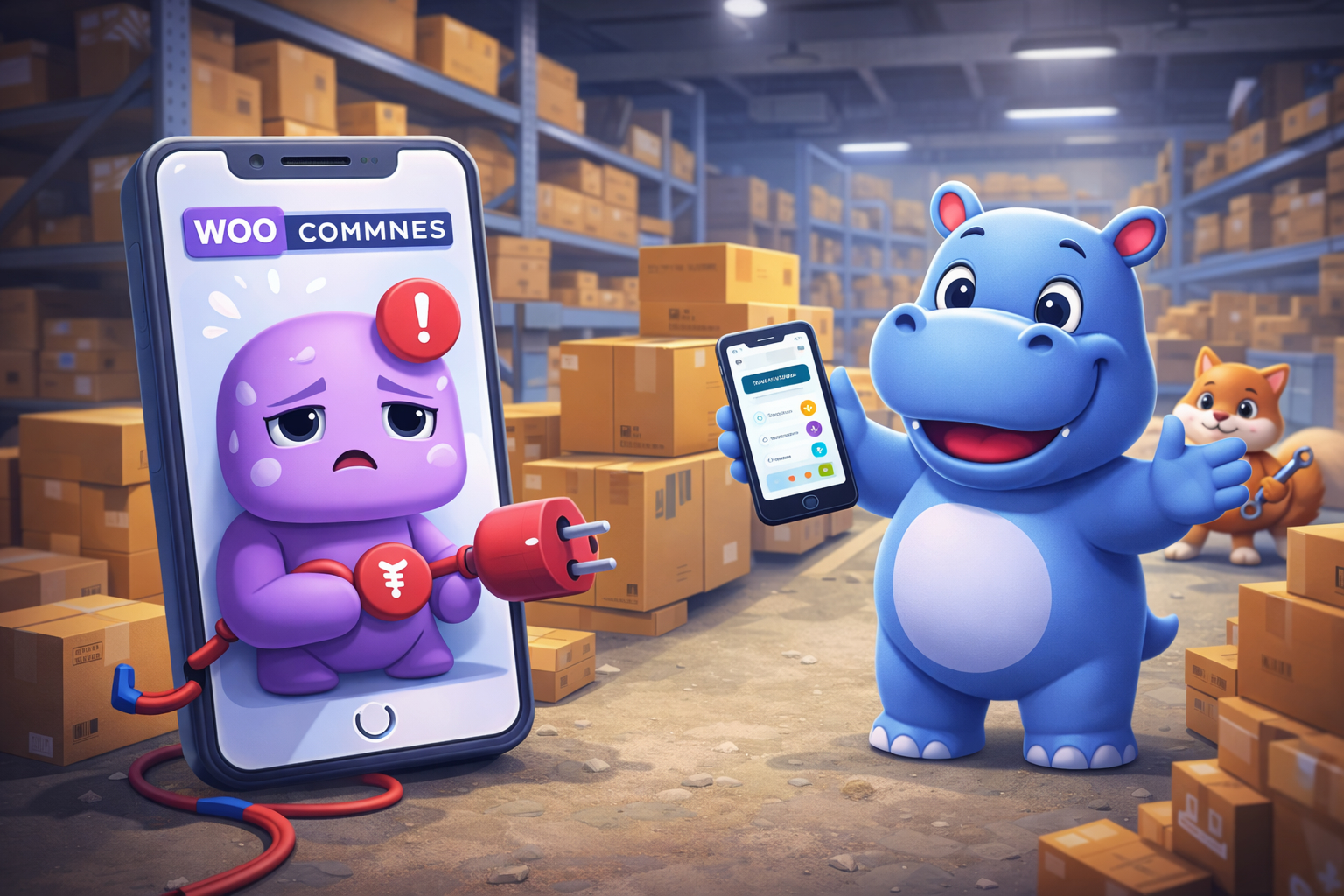
At first glance, when something doesn’t load in an app, it feels like an app issue. In practice, the root cause is often the data coming from the WooCommerce API.
Hippoo depends on the WooCommerce REST API to fetch products, orders, and coupons. The app expects this data to follow a consistent structure so it can be displayed correctly.
However, real WooCommerce stores are rarely “standard.”
Most stores use plugins, extensions, and custom code to add new features. These modifications often change how the API responds. Sometimes the changes are small, like adding extra fields. Other times they are more complex, like altering data structures or returning unexpected formats.
Over time, this can lead to inconsistencies such as broken fields, invalid data types, or incomplete responses. When this happens, the Hippoo app may not be able to interpret the data correctly, which results in missing or failing sections.
Why this matters
The Hippoo app is built to be fast and predictable. To achieve that, it relies on a stable and consistent data structure.
When WooCommerce responses become unpredictable, the app has to deal with unexpected data formats. This can lead to issues such as:
- Products not showing even though they exist in WooCommerce
- Orders appearing partially or not loading at all
- Coupons failing to display correctly
- API errors or endless loading states
These problems are not always caused by a broken system, but rather by data that no longer matches the expected structure.
The solution: WooCommerce API Compatibility Mode
To solve this problem, Hippoo introduces WooCommerce API Compatibility Mode.
This feature works as a protective layer between WooCommerce and the app. Instead of sending raw API data directly to the app, Hippoo processes and standardizes the response first.
The goal is simple: ensure that the app always receives clean, predictable, and safe data.
When enabled, Compatibility Mode performs several important tasks behind the scenes. It removes unsupported fields, fixes invalid structures, and simplifies complex or unstable parts of the response. This ensures that even if your WooCommerce store is heavily customized, the app can still read and display the data correctly.
Selective control for better flexibility
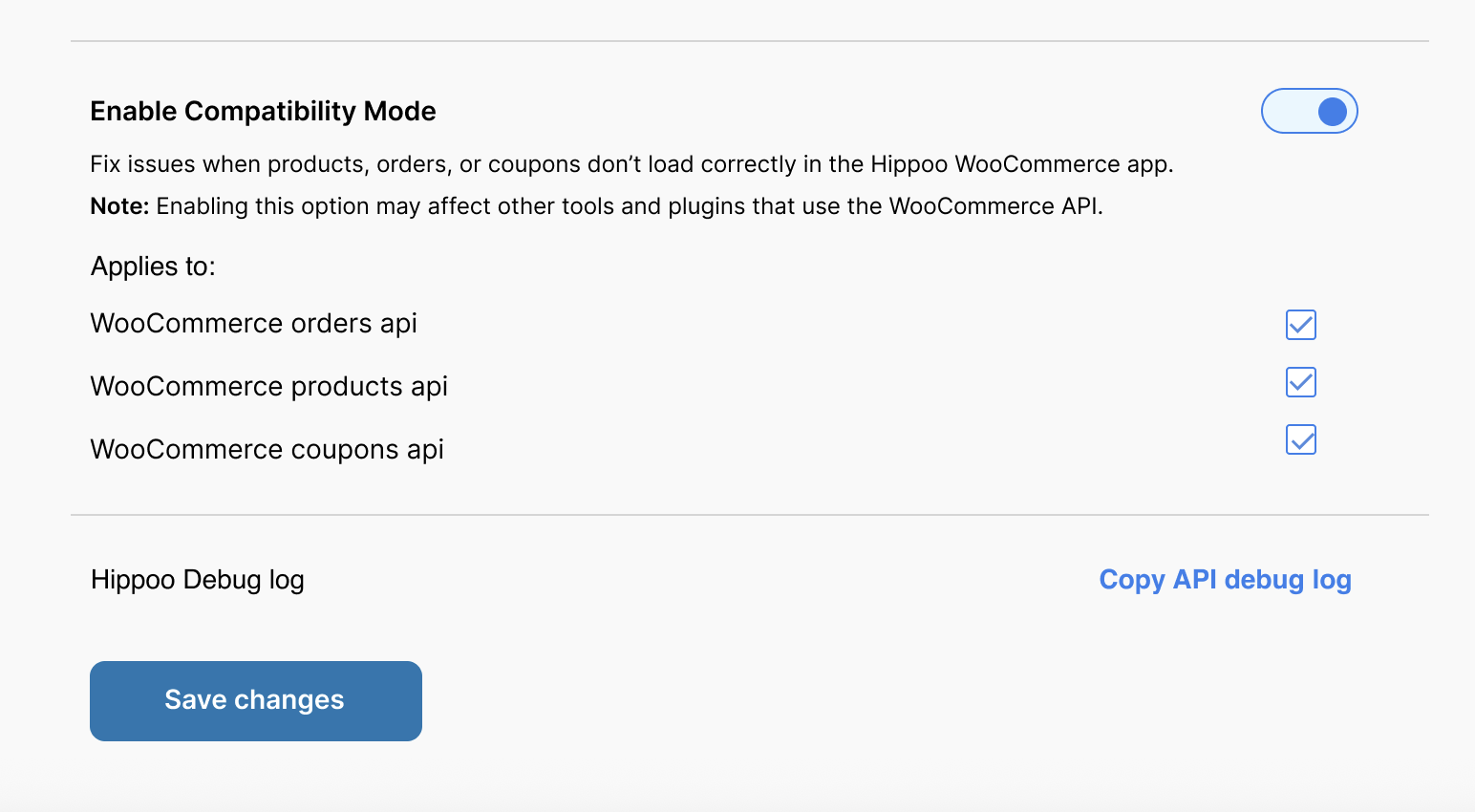
One important improvement in this update is that Compatibility Mode is not a global switch. Instead, it gives you granular control over different parts of your store data.
Inside the settings, you will see three separate options:
- Products
- Orders
- Coupons
You can enable Compatibility Mode only for the part that is not working properly.
For example, if products and coupons load correctly but orders do not, you only need to enable the Orders option. If everything works fine except products, then only Products should be enabled.
This selective approach is important because it minimizes unnecessary changes and ensures that only the problematic part of the API is modified.
Important behavior and limitations
While this feature improves compatibility, it is important to understand how it behaves.
WooCommerce API Compatibility Mode modifies the API response before it reaches the app. Because of this, it may also affect other tools or plugins that rely on the WooCommerce API.
This is why it should not be enabled by default for all sections.
It is recommended to use this feature only when you experience a real issue inside the Hippoo app. If everything is working correctly, there is no need to activate it.
Each checkbox should only be enabled for the specific area that is not loading properly. If products load correctly, that option should remain disabled. The same applies to orders and coupons.
This approach ensures that your store remains compatible with other integrations while still fixing issues in the Hippoo app.
What changes after enabling it
Once you enable Compatibility Mode for a specific section, you should notice immediate improvements in data loading behavior.
The app will start receiving more consistent data, which leads to fewer errors and more stable performance. Products, orders, or coupons depending on what you enabled should begin to appear correctly and reliably.
However, it is important to note that this feature does not modify your actual WooCommerce store data. It only changes how the data is prepared and delivered to the Hippoo app.
When to use it
This feature is specifically designed for situations where:
- Data is missing or incomplete in the app
- You see API-related errors
- Your store uses multiple plugins that modify WooCommerce behavior
- Custom code is affecting the API response
If your store is simple and everything works correctly, there is no need to enable this feature.
What if the issue still exists?
In some cases, even after enabling Compatibility Mode, issues may persist. This usually indicates a deeper conflict or a heavily modified API response that requires investigation.
In such cases, you can use the Hippoo Debug Log feature. This log helps capture relevant API behavior and error patterns.
By sharing the debug log with the Hippoo support team, you allow us to better understand what is happening in your store and provide a more precise solution.
Final thoughts
WooCommerce is a powerful and flexible platform, but that flexibility comes with complexity. Every store is different, and no two API responses are exactly the same.
Hippoo API Compatibility Mode is designed to bridge that gap. It ensures that no matter how customized your WooCommerce store becomes, your mobile app experience remains stable and reliable.
This update is not just a technical improvement. It is a step toward making Hippoo more resilient in real-world WooCommerce environments, where customization is the norm rather than the exception.
With this feature, you get better control, fewer errors, and a more predictable connection between your store and your app.